 SFind Commander
Find any file as you type.
A fast dual-pane file manager for Windows. Name your folders date_client-project and SFind filters hundreds of thousands of files by client, date and keyword — instantly, OneDrive included.
Download free trial Get it from Microsoft Store See pricing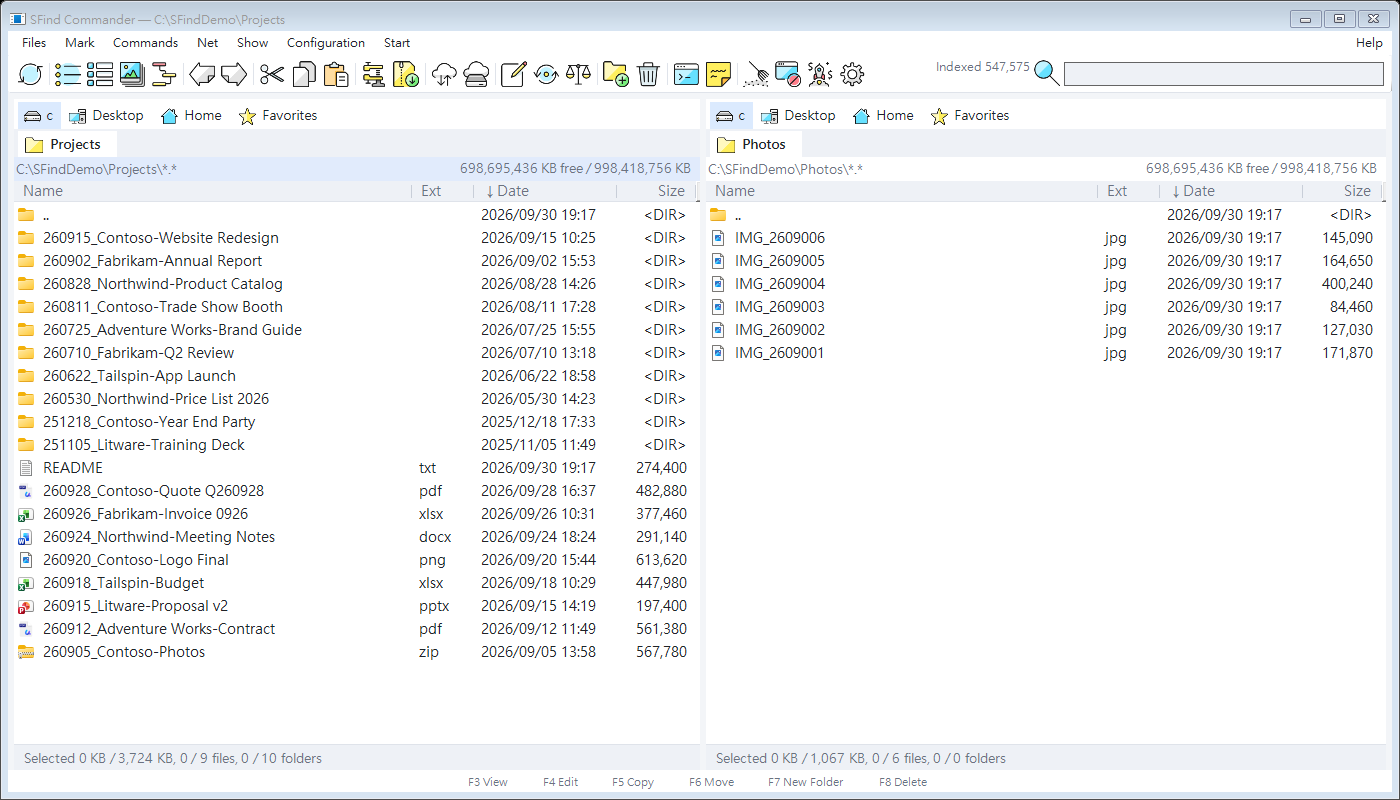
Everything you need, in two panels
🔍 Instant search
Type and results appear. Filters for client/group (parsed from names like 260915_Contoso-Website), date range and scope. Optional full-text search inside txt, csv, docx, xlsx and pptx.
🗂 Dual panels & tabs
Keyboard-first file management: F5 copy, F6 move, F7 new folder, folder tabs, lockable tabs and pinned folders with your own icons.
🚚 Reliable copy queue
Background transfers per drive, pause/resume, eight overwrite rules, optional verification and a side-by-side conflict dialog.
📦 Archives
Open ZIP and RAR like folders, pack, unpack and test archives (RAR via your installed WinRAR).
✏️ Batch rename & compare
Multi-rename with preview, folder compare and synchronize, file content compare, checksums, split and combine.
🖼 Thumbnails & quick view
Thumbnail view including iPhone HEIC photos, quick view panel and hover paths.
🧹 System tools
System cleanup, a deep uninstaller that finds leftovers (with registry backup) and a startup manager.
🌐 Five languages
English and Traditional Chinese included; Simplified Chinese, Japanese and Korean language packs.
⚙️ Searchable settings
Colors, layout, date and size formats, mouse behavior — and a search box to find any setting fast.
Simple pricing
- Dual panels, tabs, instant search
- Copy queue, archives, thumbnails
- English & Traditional Chinese
- Everything in Monthly
- Content search, batch rename, sync & compare, FTP
- System cleanup, deep uninstaller, startup manager
- All language packs
- All features, forever
- 2 years of free upgrades
- All language packs
Prices in USD. Checkout, tax and invoices are handled by Lemon Squeezy. Each license works on up to 3 of your computers.
FAQ
What happens after the 3-day trial?
The program keeps working with basic features, and a license reminder appears every minute until you activate a key.
Windows says “Windows protected your PC”. Is it safe?
SFind Commander is not code-signed yet, so Windows SmartScreen shows this for new downloads. Click More info → Run anyway. Always download from this site.
I got a new computer. Do I need to deactivate the old one?
No. Just activate the key on the new computer. A computer that has not been online for 14 days releases its seat automatically, or you can deactivate it under Help → License.
Does SFind collect my files or browsing data?
No. The license check sends only your key and an anonymous hardware fingerprint. See the privacy policy.
Refunds?
Within 14 days of purchase, handled by Lemon Squeezy. Contact tkoyb03@gmail.com.